
I don’t know about you, but I’ve always loved tying learning activities to the season or theme we’re focusing on. It keeps students engaged and adds a little extra excitement—especially during the winter months, when attention spans can start to dip.
These winter digital activities were created with independent practice in mind. They’re perfect for center time, small groups, or those moments when you need students working successfully on their own while you meet with a group.
Fun Independent Practice
One of my biggest classroom goals has always been helping students build independence. That’s exactly why I created these winter-themed digital skill practice activities. Students get meaningful practice while staying engaged. They have so much fun building the snowmen that they don’t even realize they’re building skills too!
Because the format stays consistent across each set, students only need to learn how to use the activity once. After that, they can complete the rest independently, which saves you time and reduces interruptions.
Digital Practice for Google Slides & Boom Cards
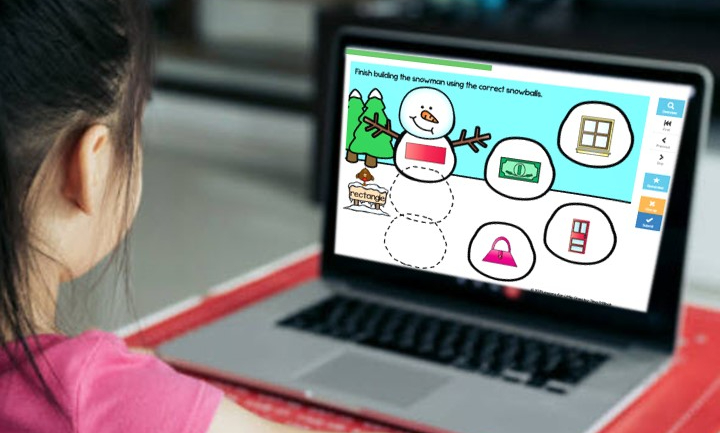
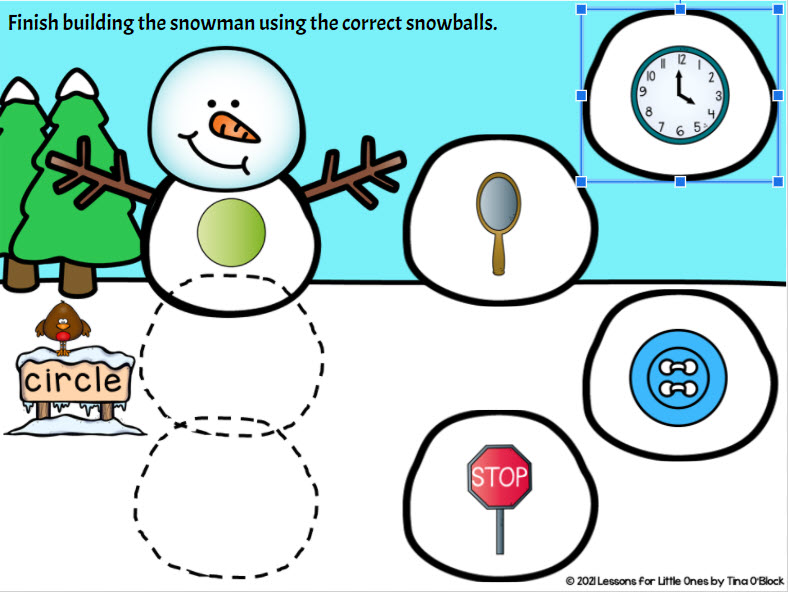
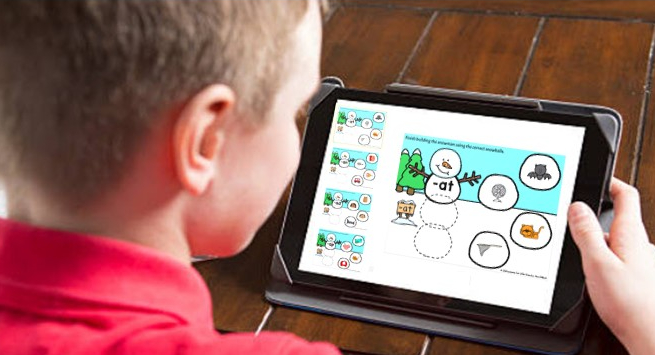
In each activity, students complete the snowmen by dragging and dropping the correct snowballs into place. Dotted guidelines show exactly where pieces go, making the activities easy to use for young learners.
The interactive drag-and-drop design keeps students motivated and focused, making these activities ideal for digital centers or independent practice.
I made all the sets similar so that once they learn how to do one, they can then complete the others with ease completely on their own. You only have to teach it once!

Seasonal Literacy & Math Skills Practice
I created sets for the skills that students usually need extra practice with during the winter months. There are sets for:
- Beginning sounds and letter sounds
- Word families
- Color words
- 2D shapes and 3D shapes
- Addition and subtraction to 10
Each set is designed to be simple to implement and engaging for students, without extra prep for teachers.

Google Slides & Boom Cards Options
All activities are available in Google Slides or Boom Cards, so you can choose the format that works best for your classroom.
- Boom Cards are self-checking and provide instant feedback for students
- Google Slides include answer keys for quick assessment
Both options make it easy to monitor student understanding while keeping lessons moving smoothly.
Try a Winter Digital Activity for Free
Try the short “a” word families set for free with your students. It is a sampler from the short vowels word families set. Watch the short video to see how each set works and then click the links below the video to get the free downloads.
Free Winter Word Families Short Vowel a Google Slides
Free Winter Word Families Short Vowel a Boom Cards
Winter Digital Activities for More Skills
If the free activity works well for your students, additional winter digital skill sets are available for both Google Slides and Boom Cards. You can choose individual skills or bundles depending on what your class needs most.
Google Slides
- Winter Letter Sounds Beginning Sounds Google Classroom
- Winter 2D Shapes Google Classroom
- Winter 3D Shapes Google Classroom
- Winter 2D Shapes & 3D Shapes Google Classroom Google Slides Bundle
- Winter Addition to 10 for Google Classroom
- Winter Subtraction to 10 Google Classroom
- Winter Addition to 10 Subtraction to 10 Google Classroom Google Slides Bundle
- Winter Colors, Color Words Google Classroom
- Winter Word Families Short Vowels Google Classroom
- Winter Literacy & Math Google Classroom Google Slides Digital Bundle
Boom Cards
- Winter Beginning Sounds, Letter Sounds Boom Cards
- Winter 2D Shapes Digital Boom Cards
- Winter 3D Shapes Digital Boom Cards
- Winter 2D Shapes & 3D Shapes Boom Cards Bundle
- Winter Addition to 10 Boom Cards
- Winter Subtraction to 10 Boom Cards
- Winter Addition to 10 Subtraction to 10 Boom Cards Digital Bundle
- Winter Colors, Color Words Digital Boom Cards
- Winter Word Families Short Vowels Boom Cards
- Winter Literacy & Math Boom Cards Digital Bundle