Celebrating student birthdays is one of those little things that brings big smiles. Whether you’re teaching in person, remotely, or using digital tools to support home-school connections, you can still make each child feel special on their big day—even from a distance!
Over the past few years, I’ve come to love using digital birthday certificates. Not only are they quick and easy to personalize, but they’re also perfect for:
- Students who are absent
- Snow days or virtual learning days
- Hybrid or homeschool classrooms
- Sharing student celebrations with families through digital platforms
Why Use Digital Birthday Certificates?
If you’re anything like me, you’re always looking for meaningful ways to connect with students—even when they’re not physically in the classroom. Sending a birthday certificate digitally is:
- Quick & easy to customize
- A thoughtful surprise for students learning at home or out sick
- A great way to involve families by sending it via email, Seesaw, Google Classroom, or even text
It only takes a few minutes to create a personalized message that can make your student’s day.
How It Works
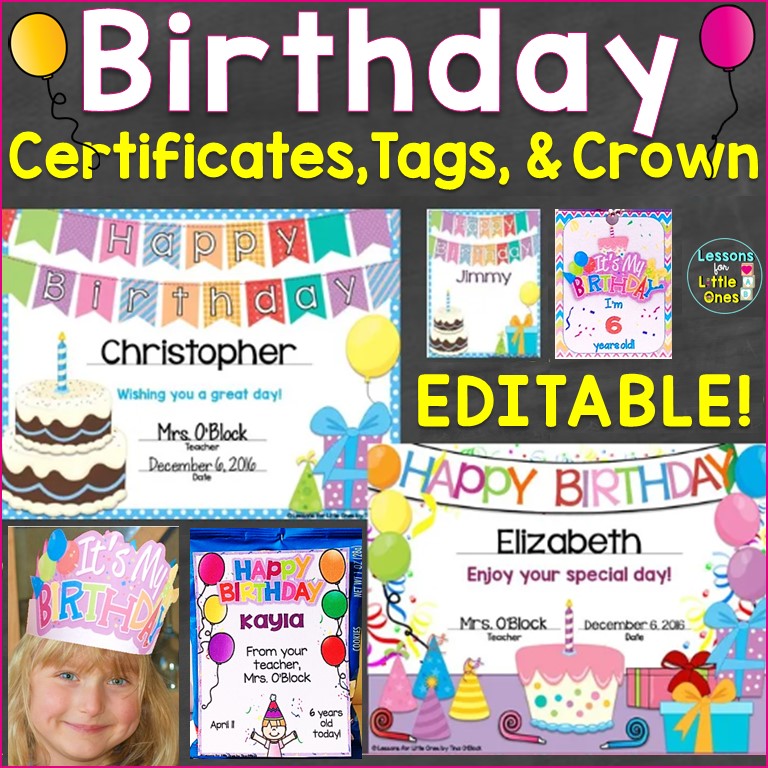
I use my Editable Birthday Certificates (available here) to quickly create custom birthday messages for my students. Here’s how to do it:
- Open the editable certificate in PowerPoint.
- Type in your student’s name, the date, and any personalized message.
- Save the slide as a JPEG image.
- Send it through Google Classroom, Seesaw, email, or even a text message to a parent.
💡 Tip: You can also upload the certificate to your digital classroom space so classmates can leave a birthday message or comment!
Here’s a quick video tutorial that shows just how simple it is to customize and share your birthday certificates digitally.
I hope this was helpful in making birthdays special for your students!
You can also print your certificates along with a birthday crown and/or personalized treat tags to mail or drop off.
Want to try it out? CLICK HERE to download my Editable Birthday Certificates, Tags, & Crown.
You may also like:
Celebrating Birthdays in the Classroom & Ideas for Student Birthday Gifts
Back to School Student Gifts, Open House Gift Ideas & Tags